> ## Documentation Index
> Fetch the complete documentation index at: https://ngquct-feat-saved-query-version-control.mintlify.site/llms.txt
> Use this file to discover all available pages before exploring further.
# Open Quickly
> Search objects and queries in one connection or across every open connection
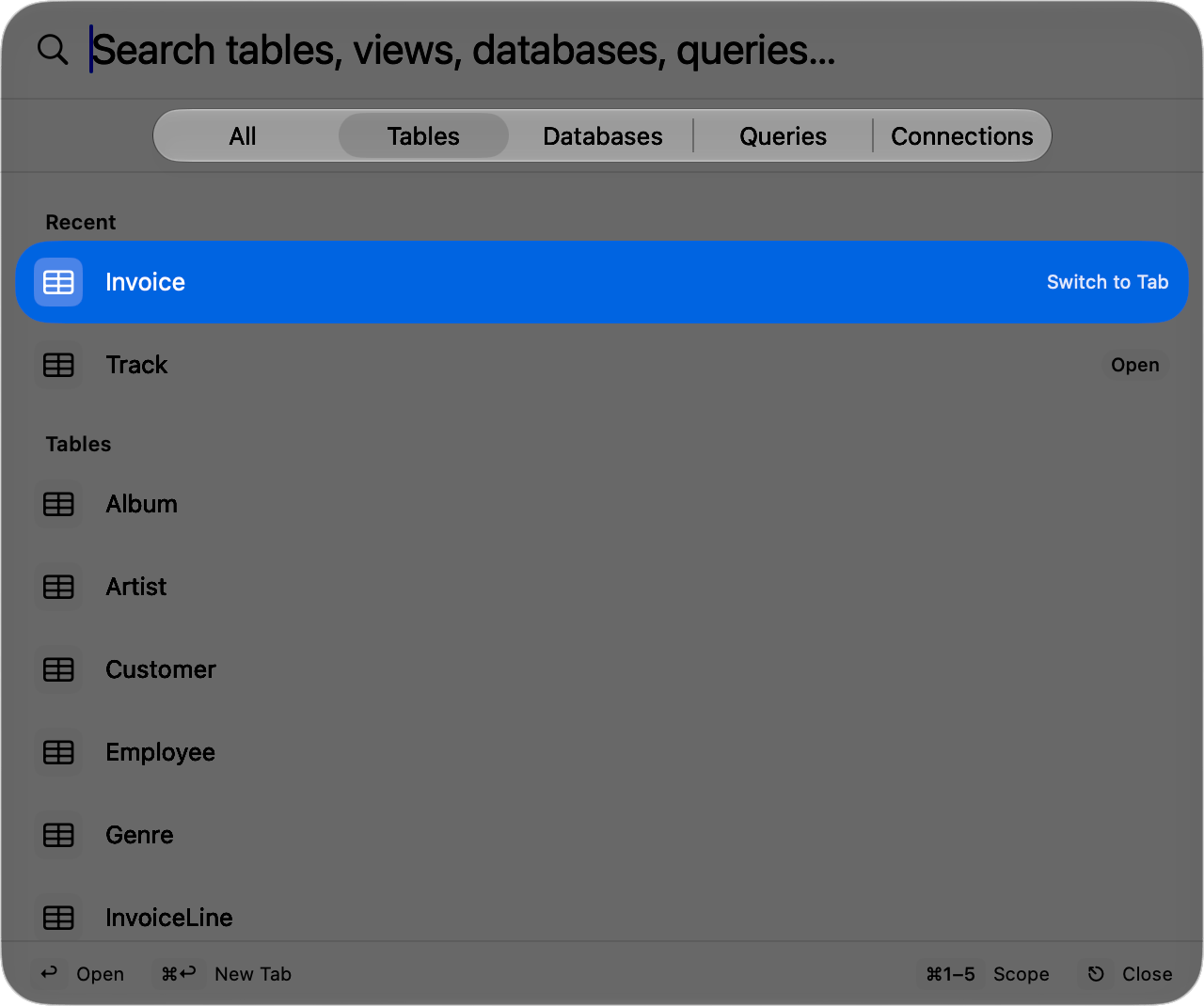
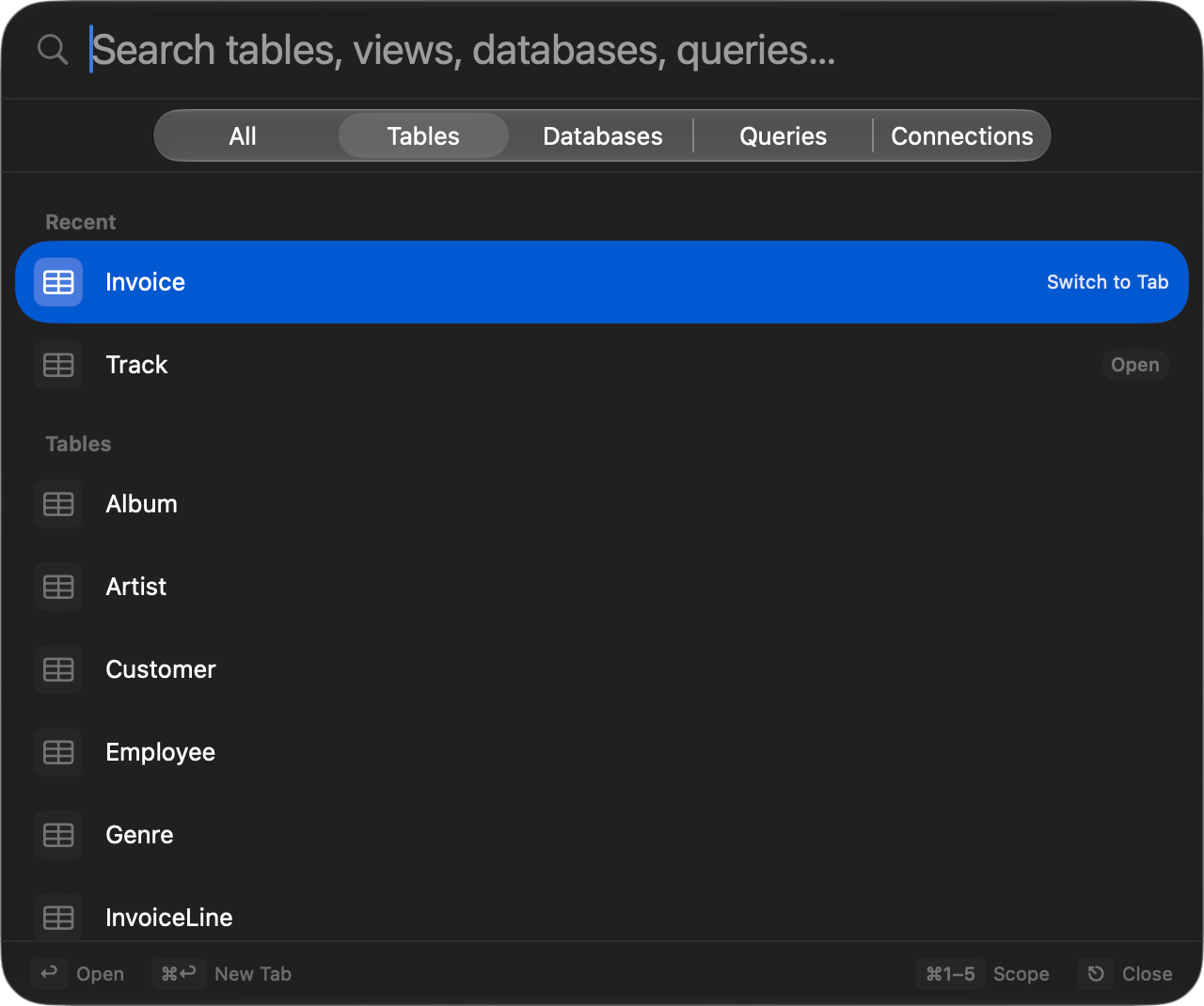
Press `Cmd+Shift+O` in a connection window, type a few characters, and press `Return`. Matching is fuzzy, so `usr` finds `users` and `user_settings`, and the characters that matched are bold. **File > Open Quickly…** opens the same panel.
 ## Keys
| Action | Shortcut |
| --------------------- | ------------------------------------------------------------------- |
| Open Quickly | `Cmd+Shift+O` |
| Move selection | `Up` / `Down`, or `Ctrl+J`/`Ctrl+N` and `Ctrl+K`/`Ctrl+P` |
| Open selected item | `Return`, or double-click |
| Open in a new tab | `Cmd+Enter` or `Option+Enter` |
| Switch scope | `Cmd+1` to `Cmd+5` |
| Clear the search text | `Escape` |
| Dismiss | `Escape` on an empty field, `Cmd+Shift+O` again, or a click outside |
The footer lists these as you go, and its `Escape` hint reads **Clear** while you have text and **Close** once the field is empty. Rebind the opening shortcut in **Settings > Keyboard**.
## Scopes
The segmented control under the search field sets the scope. It stays on screen, so switching scope after typing keeps what you typed.
| Scope | Key | Covers |
| --------------- | ------- | ------------------------------------------------------------------------------------------------------------------------------- |
| **All** | `Cmd+1` | Tables and views in every schema of this connection's database, plus its databases, schemas, saved queries, and last 50 queries |
| **Tables** | `Cmd+2` | Tables, views, and system tables in every schema |
| **Databases** | `Cmd+3` | Databases and schemas |
| **Queries** | `Cmd+4` | Saved queries and recent queries, from every connected window |
| **Connections** | `Cmd+5` | Tables, views, and system tables in every connected window |
Leave the search empty in any scope other than All and everything in it is listed under section headers. Saved queries come from your [favorites](/features/favorites) and match on their keyword as well as their name, so a keyword you use in the editor reaches the query from here too.
Opening a table or view opens a table tab, a database or schema switches the connection to it, and a query loads into the SQL editor without running it.
## Other schemas
A table outside the schema the sidebar is browsing shows its schema at the end of the row, `attendance` or `attendance · View`, and keeps it while selected. Opening it leaves the connection on the schema it was browsing.
## Keys
| Action | Shortcut |
| --------------------- | ------------------------------------------------------------------- |
| Open Quickly | `Cmd+Shift+O` |
| Move selection | `Up` / `Down`, or `Ctrl+J`/`Ctrl+N` and `Ctrl+K`/`Ctrl+P` |
| Open selected item | `Return`, or double-click |
| Open in a new tab | `Cmd+Enter` or `Option+Enter` |
| Switch scope | `Cmd+1` to `Cmd+5` |
| Clear the search text | `Escape` |
| Dismiss | `Escape` on an empty field, `Cmd+Shift+O` again, or a click outside |
The footer lists these as you go, and its `Escape` hint reads **Clear** while you have text and **Close** once the field is empty. Rebind the opening shortcut in **Settings > Keyboard**.
## Scopes
The segmented control under the search field sets the scope. It stays on screen, so switching scope after typing keeps what you typed.
| Scope | Key | Covers |
| --------------- | ------- | ------------------------------------------------------------------------------------------------------------------------------- |
| **All** | `Cmd+1` | Tables and views in every schema of this connection's database, plus its databases, schemas, saved queries, and last 50 queries |
| **Tables** | `Cmd+2` | Tables, views, and system tables in every schema |
| **Databases** | `Cmd+3` | Databases and schemas |
| **Queries** | `Cmd+4` | Saved queries and recent queries, from every connected window |
| **Connections** | `Cmd+5` | Tables, views, and system tables in every connected window |
Leave the search empty in any scope other than All and everything in it is listed under section headers. Saved queries come from your [favorites](/features/favorites) and match on their keyword as well as their name, so a keyword you use in the editor reaches the query from here too.
Opening a table or view opens a table tab, a database or schema switches the connection to it, and a query loads into the SQL editor without running it.
## Other schemas
A table outside the schema the sidebar is browsing shows its schema at the end of the row, `attendance` or `attendance · View`, and keeps it while selected. Opening it leaves the connection on the schema it was browsing.
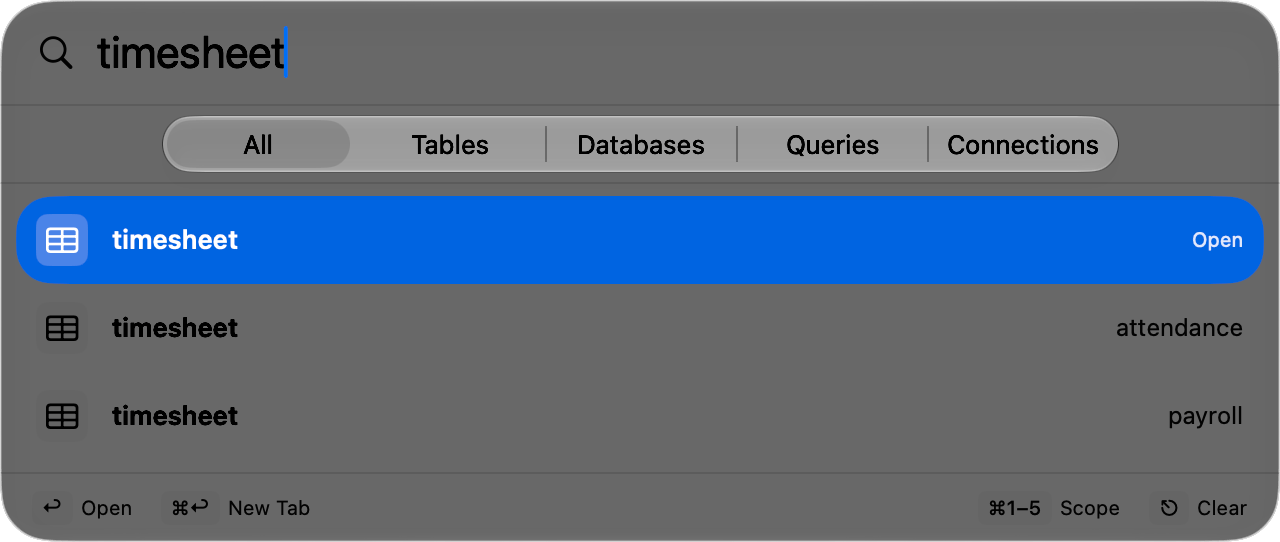
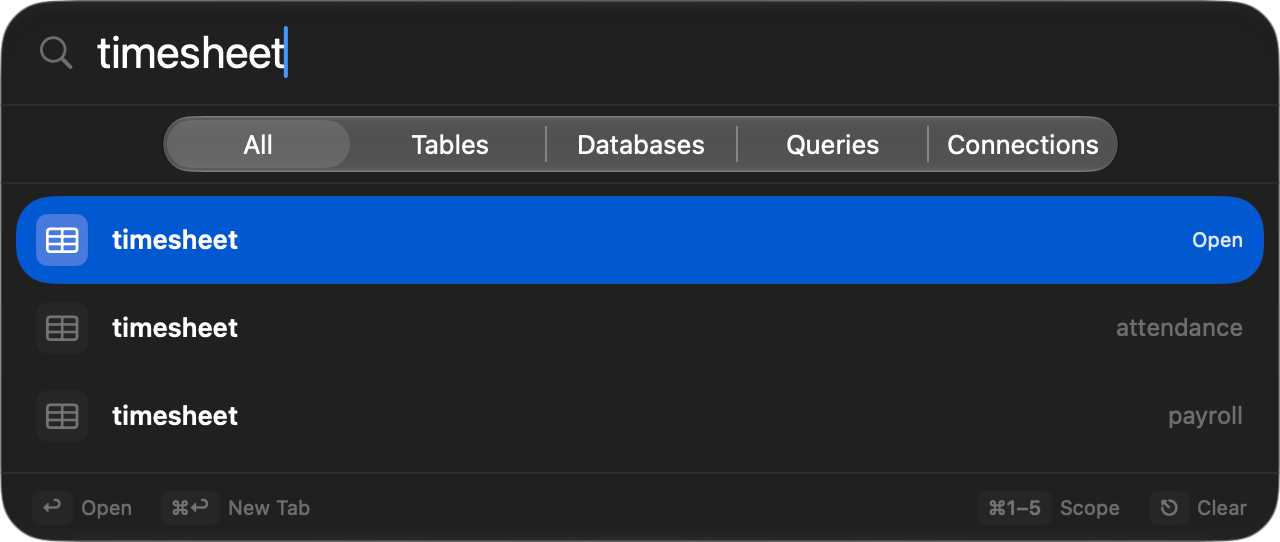 Type a dot to search by where a table lives:
| Search | Finds |
| --------------------------- | ------------------------------------------------------------------------------------ |
| `attendance.timesheet` | `timesheet` in `attendance`, and no other `timesheet` |
| `attendance.` | Everything in `attendance` |
| `att.time` | The same table, since each part matches fuzzily |
| `shop.attendance.timesheet` | The table, when `shop` is the database the connection is browsing |
| `"my.schema".orders` | `orders` in a schema whose name holds a dot. Backticks and square brackets quote too |
The browsed schema's tables are listed as the panel opens, and the rest arrive after one catalog query on PostgreSQL or one query per schema on other engines. Until then the panel reads **Loading…** rather than reporting no results.
## Across connections
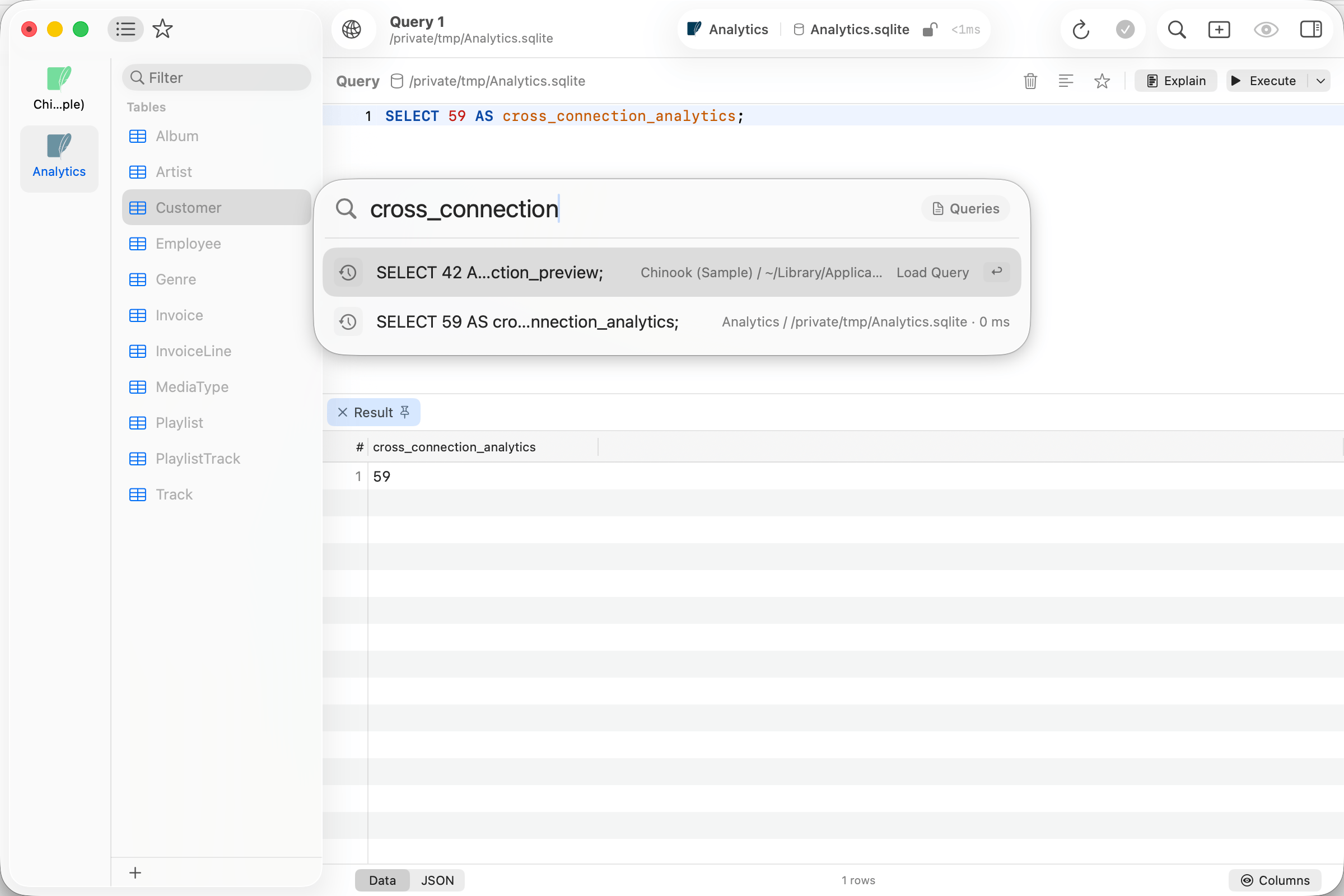
The **Connections** and **Queries** scopes reach into every connected window, and that catalog is read the first time you open one of them, not before.
An empty search groups results under each connection's name. Once you type, everything is ranked in one list and each row names the connection, database, and schema it belongs to; the path is matched too, so typing a connection's name narrows the list to it. Opening a result brings that connection's window forward.
**Queries** holds your saved queries plus up to 200 recent ones, drawn evenly across connections rather than by raw recency, with execution times on the recent rows. Global saved queries open in the connection you opened the panel from, which stays listed even while it is reconnecting.
Type a dot to search by where a table lives:
| Search | Finds |
| --------------------------- | ------------------------------------------------------------------------------------ |
| `attendance.timesheet` | `timesheet` in `attendance`, and no other `timesheet` |
| `attendance.` | Everything in `attendance` |
| `att.time` | The same table, since each part matches fuzzily |
| `shop.attendance.timesheet` | The table, when `shop` is the database the connection is browsing |
| `"my.schema".orders` | `orders` in a schema whose name holds a dot. Backticks and square brackets quote too |
The browsed schema's tables are listed as the panel opens, and the rest arrive after one catalog query on PostgreSQL or one query per schema on other engines. Until then the panel reads **Loading…** rather than reporting no results.
## Across connections
The **Connections** and **Queries** scopes reach into every connected window, and that catalog is read the first time you open one of them, not before.
An empty search groups results under each connection's name. Once you type, everything is ranked in one list and each row names the connection, database, and schema it belongs to; the path is matched too, so typing a connection's name narrows the list to it. Opening a result brings that connection's window forward.
**Queries** holds your saved queries plus up to 200 recent ones, drawn evenly across connections rather than by raw recency, with execution times on the recent rows. Global saved queries open in the connection you opened the panel from, which stays listed even while it is reconnecting.
 A query loads into the tab you opened the panel from when that tab is on the right connection and database. If no open tab uses the database the query was recorded against, it gets a new tab. `Cmd+Enter` and `Option+Enter` always open a new tab.
## Open badge
A table already open in a tab shows an **Open** badge, and the hint on the selected row reads **Switch to Tab**. Committing goes to that tab instead of opening a duplicate; `Cmd+Enter` and `Option+Enter` force a new one.
## Ranking
An empty search shows **Recent**: the last 10 things opened on this connection that the scope lists, including tables opened from the sidebar or a link. A table, schema, or routine is recent only in the database you opened it in, never in another database that holds one with the same name. Once you type, a match on the name beats a match on the connection and database path beside it, tables rank above other kinds, and anything you open often or already have open in a tab moves up. Between two equal matches, the table in the browsed schema comes first. The list stops at 200 results.
## When a table is not listed
* The list covers every schema of the database the connection is browsing. To reach a table in another database, switch database first, then search again.
* System schemas such as `pg_catalog` and `information_schema` are left out.
* A table created in another schema since the panel last listed that schema appears the next time you open the panel.
* The **Databases** scope offers the databases the sidebar's database filter keeps, plus every system database. Clear the filter with **View > Show All Databases**.
* The **Connections** scope covers connected windows only, and only the database and schema each one is browsing.
## Right-click actions
| Action | Applies to |
| --------------- | ----------------------------------------------------------- |
| Open | All items |
| Open in New Tab | Tables, views, system tables, saved queries, recent queries |
| Open Structure | Tables, views, and system tables in the current connection |
| Copy Name | All items |
| Copy Query | Saved and recent queries |
A query loads into the tab you opened the panel from when that tab is on the right connection and database. If no open tab uses the database the query was recorded against, it gets a new tab. `Cmd+Enter` and `Option+Enter` always open a new tab.
## Open badge
A table already open in a tab shows an **Open** badge, and the hint on the selected row reads **Switch to Tab**. Committing goes to that tab instead of opening a duplicate; `Cmd+Enter` and `Option+Enter` force a new one.
## Ranking
An empty search shows **Recent**: the last 10 things opened on this connection that the scope lists, including tables opened from the sidebar or a link. A table, schema, or routine is recent only in the database you opened it in, never in another database that holds one with the same name. Once you type, a match on the name beats a match on the connection and database path beside it, tables rank above other kinds, and anything you open often or already have open in a tab moves up. Between two equal matches, the table in the browsed schema comes first. The list stops at 200 results.
## When a table is not listed
* The list covers every schema of the database the connection is browsing. To reach a table in another database, switch database first, then search again.
* System schemas such as `pg_catalog` and `information_schema` are left out.
* A table created in another schema since the panel last listed that schema appears the next time you open the panel.
* The **Databases** scope offers the databases the sidebar's database filter keeps, plus every system database. Clear the filter with **View > Show All Databases**.
* The **Connections** scope covers connected windows only, and only the database and schema each one is browsing.
## Right-click actions
| Action | Applies to |
| --------------- | ----------------------------------------------------------- |
| Open | All items |
| Open in New Tab | Tables, views, system tables, saved queries, recent queries |
| Open Structure | Tables, views, and system tables in the current connection |
| Copy Name | All items |
| Copy Query | Saved and recent queries |